design is effortless
a classroom observation web-app for school admins
In progress
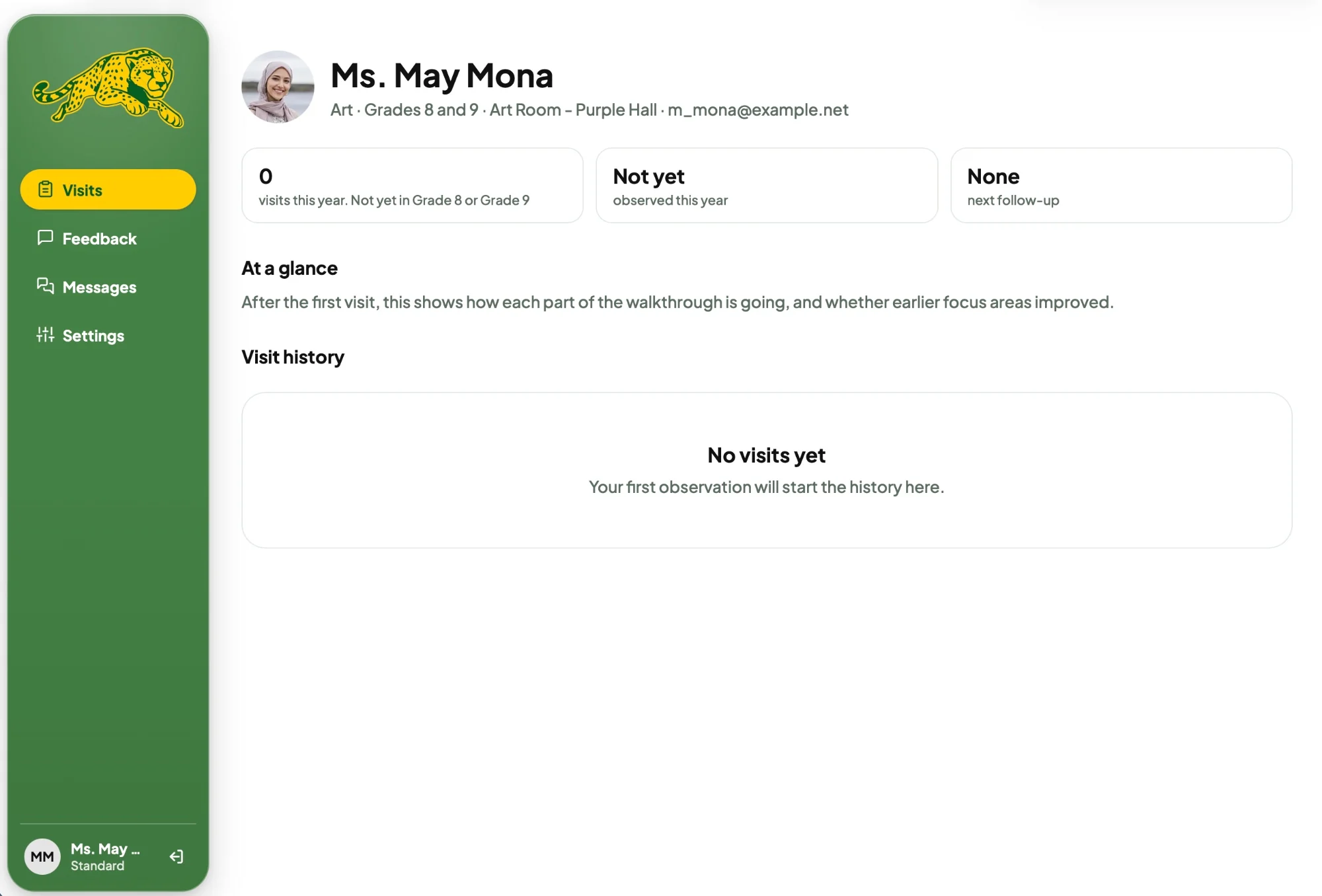
Radiant STEM Academy’s admins wanted an app to simplify their classroom observations. I designed RSA HorizonED so admins can observe, give feedback, and look back on past visits in one simple web-app.
The private STEM school Radiant STEM Academy had a team of admins who wished for an app for their classroom observations.
Requirements they wanted RSA admins
How I planned on doing this me, designer
This was a design sprint, as they wanted the web-app ASAP.
I planned to do my own rapid research, wireframes, and prototype screens in Figma.
Rapid research on apps like Canvas and Workday gave me insight on necessary features to organize lots of people.
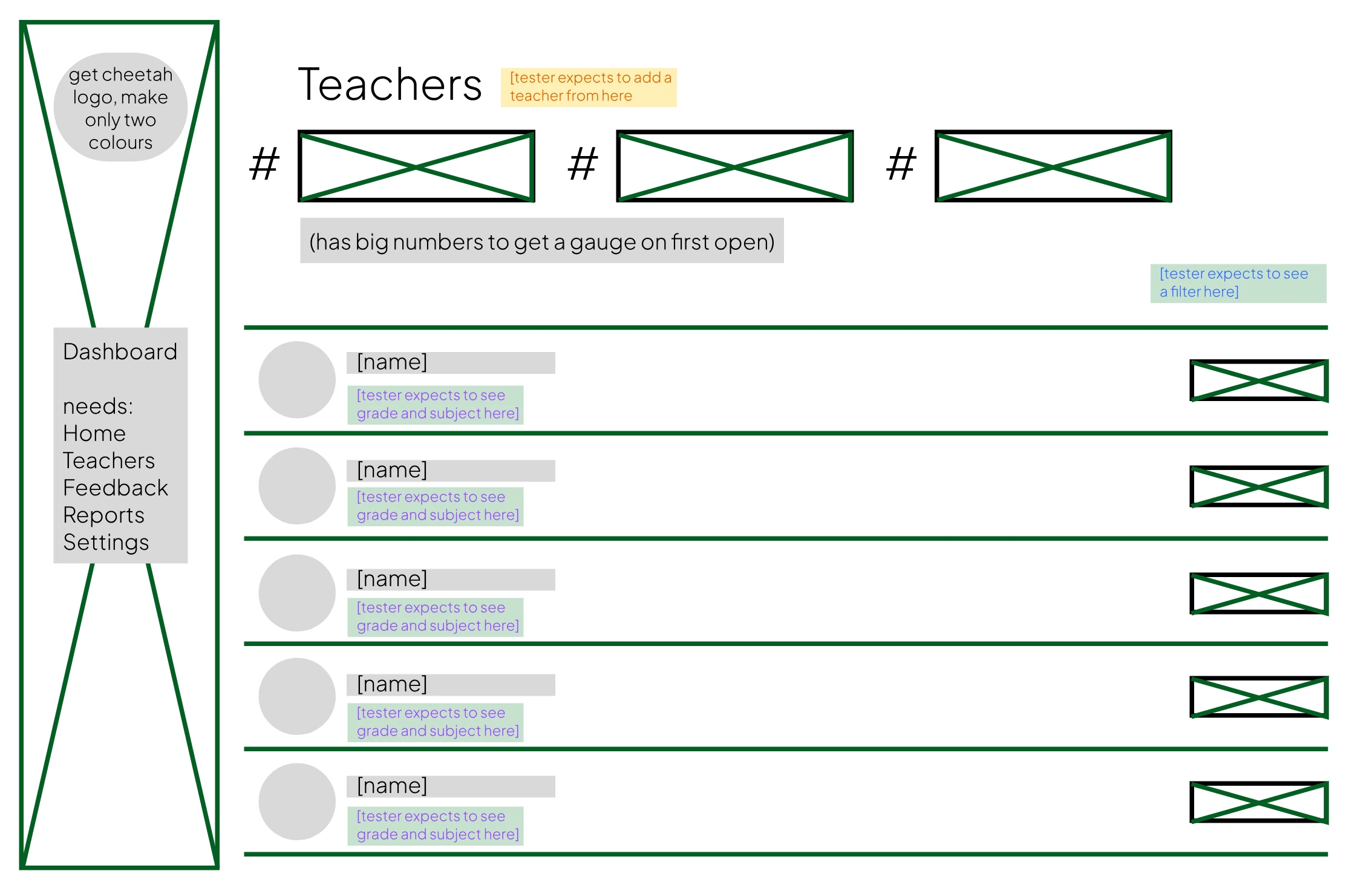
Wireframe testing rounded out the research for all screens and admin expectations.
I started each session with ‘You just clicked Teachers. What do you expect to see?’
A. Teachers’ names.
Q. What else?
A. Their grades or subjects, right below their name.
A. A filter at the top somewhere.
Q. Where would you add a new teacher?
A. At the top, next to Teachers.
Q. What should the three call-outs say?
A. How many teachers I have, and who needs a follow-up.
Making the app feel effortless.
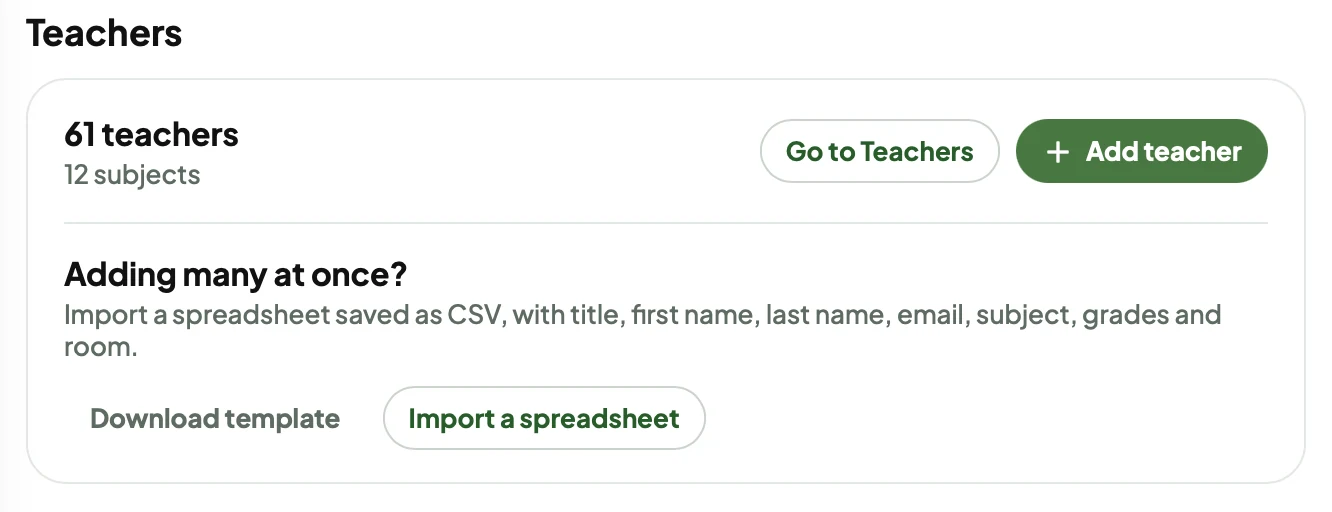
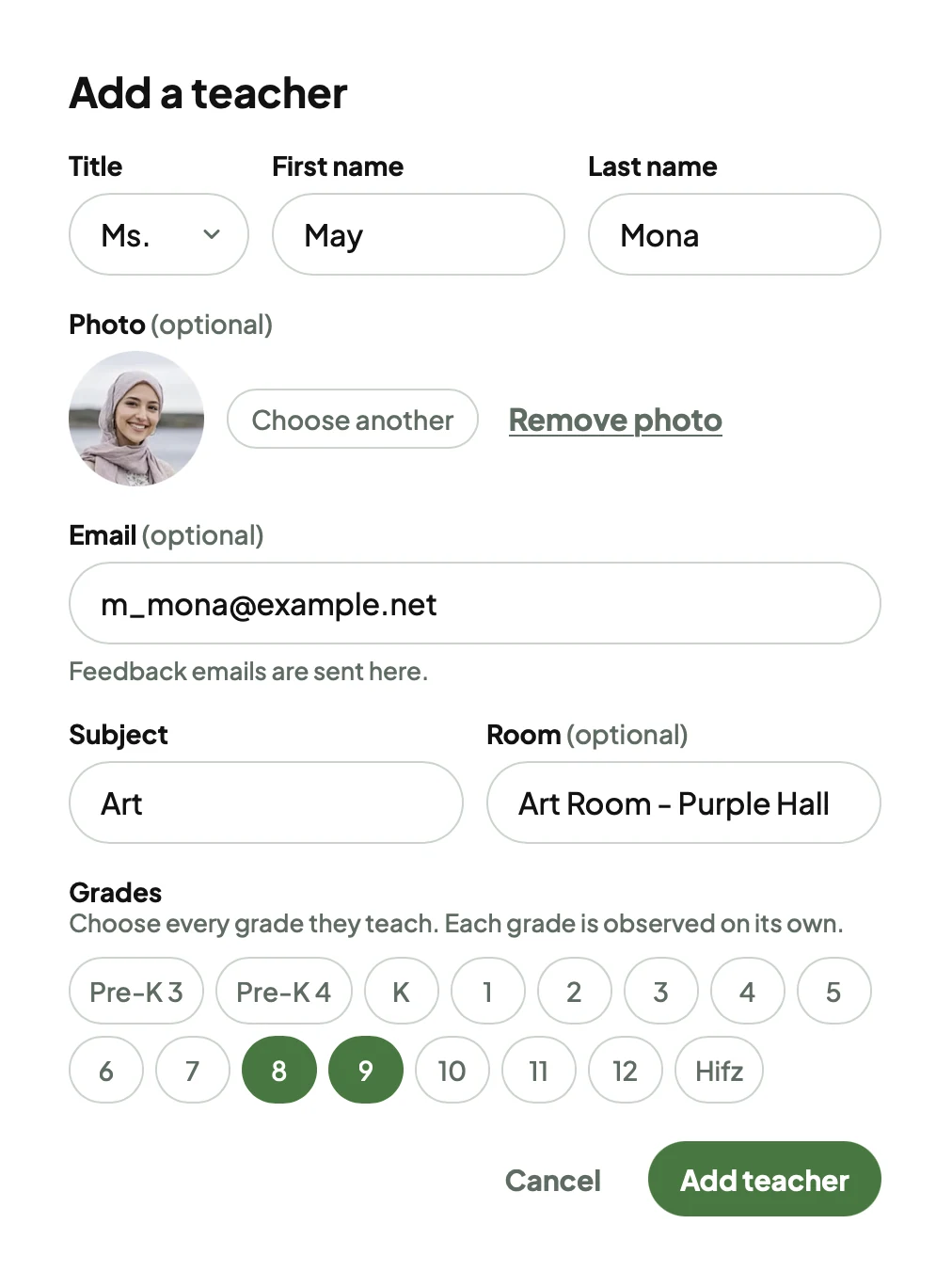
Admins can add teachers one at a time, or import a spreadsheet saved as CSV, with title, first name, last name, email, subject, grades and room.
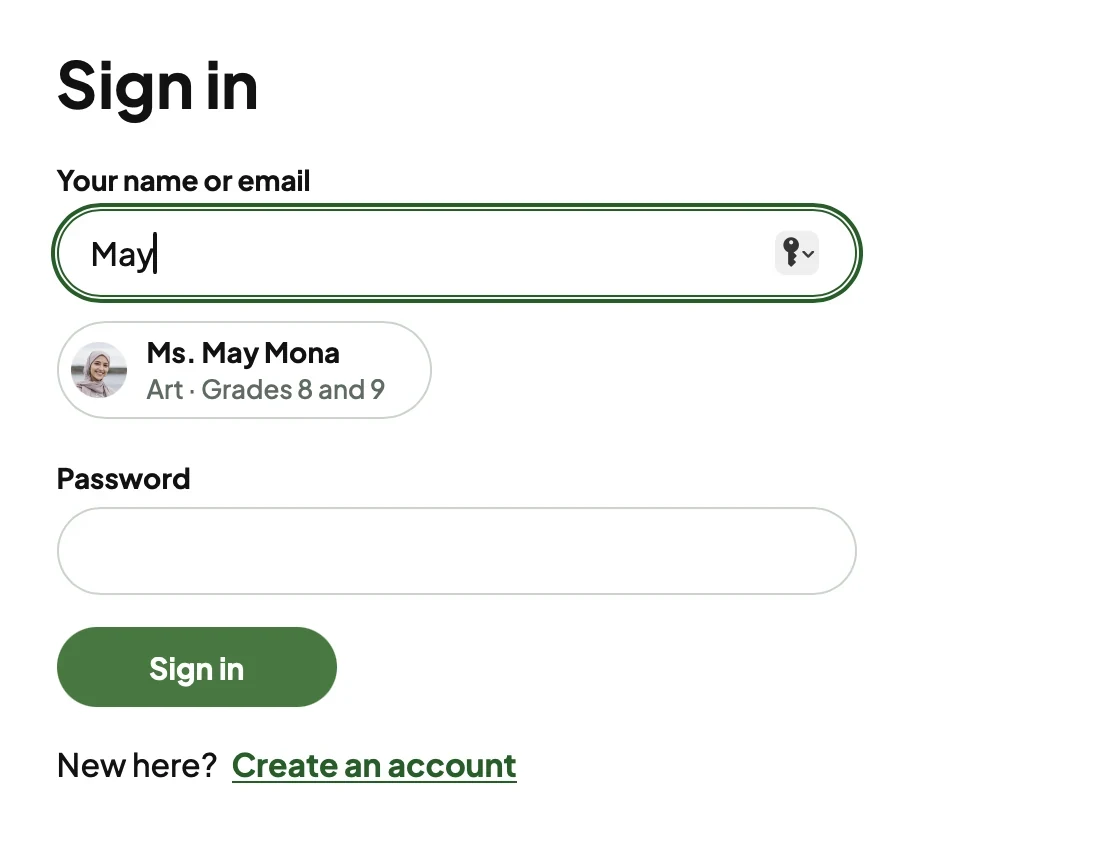
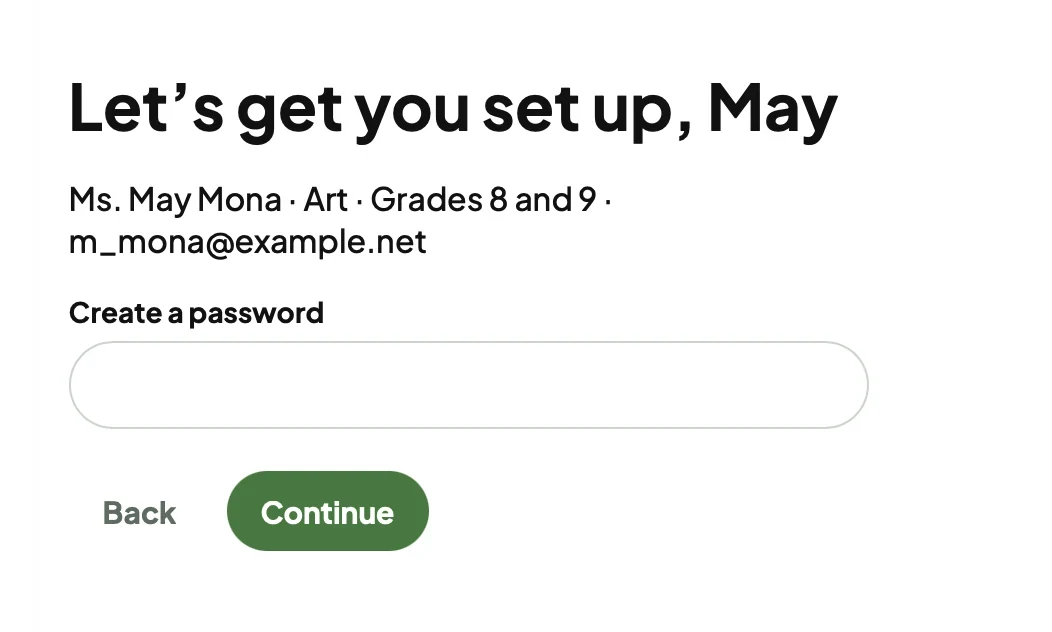
When that teacher signs in for the first time, they show up as they type, and all they do is create a password.
Add many at once from a spreadsheet.
Or add one teacher at a time.
When they sign in, they show up as they type.
All they do is create a password.
And they land on their own profile.
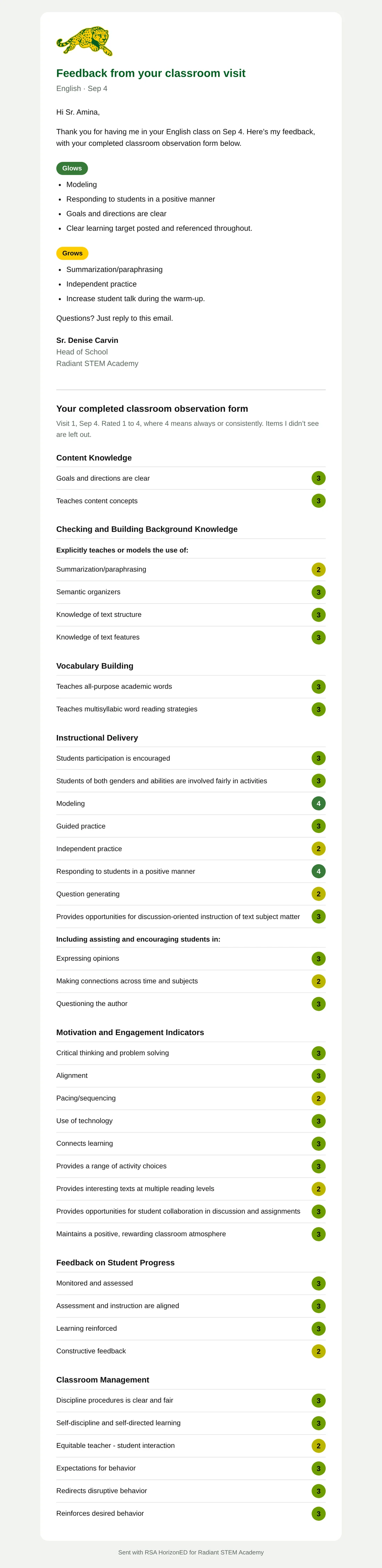
It opens the admin’s default mail app with the teacher, subject, and feedback already filled in. No mail app? One click copies it all, or downloads the .pdf.
I looked into sending through a service like Resend, so in a later version, finishing an observation sends a branded email to the teacher automatically.
To: Faisal Idrisi
Subject: Classroom observation, Visit 4
Hi Faisal, Thank you for having me in your Computer science class in Room 199 on Oct 9 for Ecosystems. Here’s my feedback, with your completed classroom observation form below. Glows - Provides the students with explicit instruction - Teaches content concepts - Summarization/paraphrasing Grows - Knowledge of text structure - Knowledge of text features Questions? Just reply to this email. Sr. Denise Carvin THE FULL FORM Rated 1 to 4, where 4 means Always / Consistently (95% to 100%). Blank means not observed. CONTENT KNOWLEDGE 3 Provides the students with explicit instruction - Goals and directions are clear (not observed) - Teaches content facts (not observed) 3 Teaches content concepts CHECKING AND BUILDING BACKGROUND KNOWLEDGE Explicitly teaches or models the use of: 3 Summarization/paraphrasing 3 Semantic organizers 2 Knowledge of text structure 2 Knowledge of text features 2 Making inferences - Teaches comprehension monitoring (not observed) VOCABULARY BUILDING - Teaches domain-specific vocabulary (not observed) 2 Teaches all-purpose academic words 3 Teaches multisyllabic word reading strategies Notes and reflections: The anchor chart from last week was referenced twice. INSTRUCTIONAL DELIVERY 3 Students participation is encouraged - Students of both genders and abilities are involved fairly in activities (not observed) 2 Modeling 2 Guided practice 3 Independent practice 2 Responding to students in a positive manner 3 Question generating 3 Provides opportunities for discussion-oriented instruction of text subject matter MOTIVATION AND ENGAGEMENT INDICATORS 2 Critical thinking and problem solving 3 Alignment - Pacing/sequencing (not observed) 3 Use of technology 3 Connects learning 2 Provides a range of activity choices FEEDBACK ON STUDENT PROGRESS 2 Monitored and assessed 3 Learning reinforced 3 Constructive feedback Notes and reflections: Students moved into groups quickly; the timer on the board helped. CLASSROOM MANAGEMENT 2 Discipline procedures is clear and fair 3 Expectations for behavior 3 Reinforces desired behavior 2 Manages time and materials
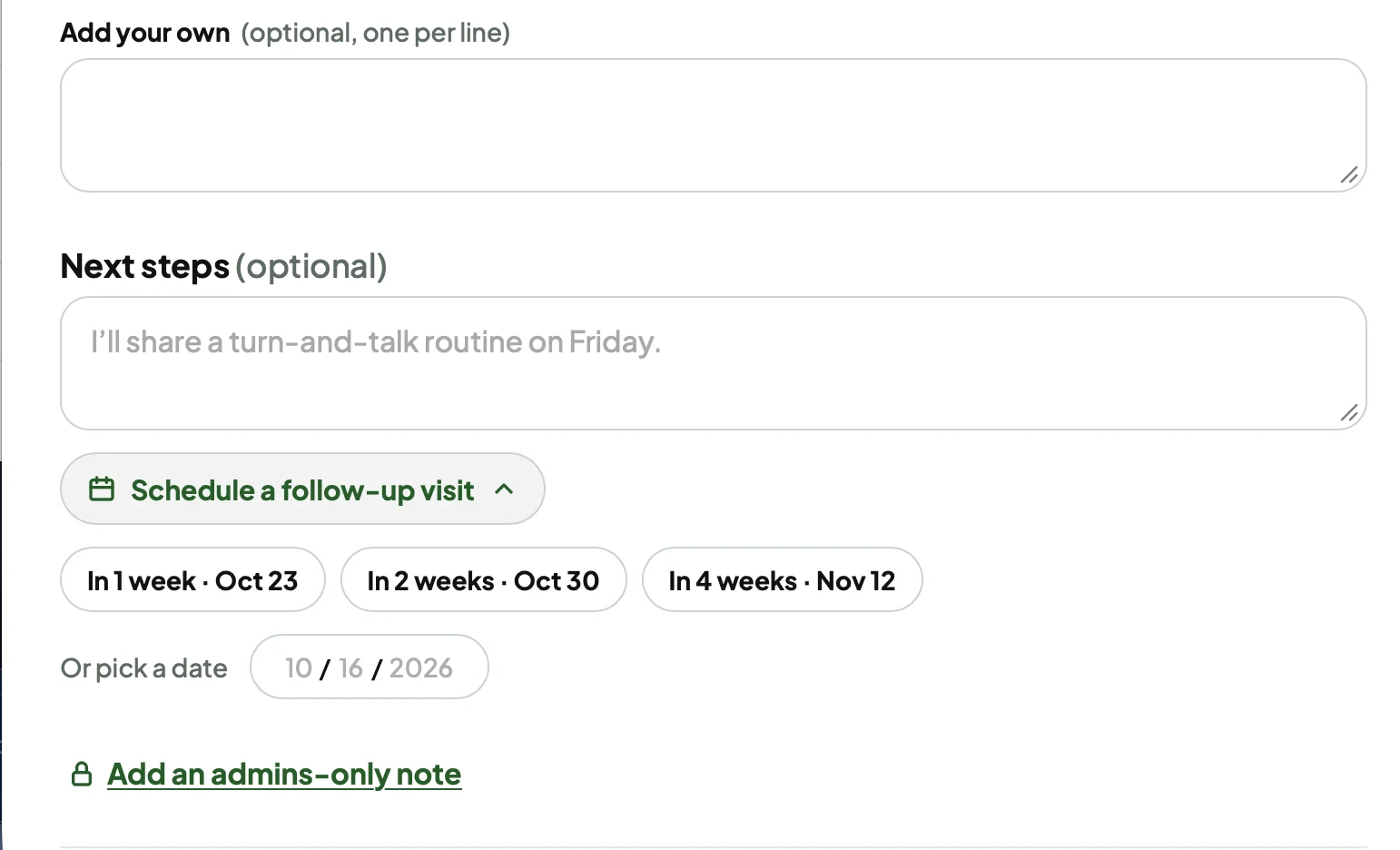
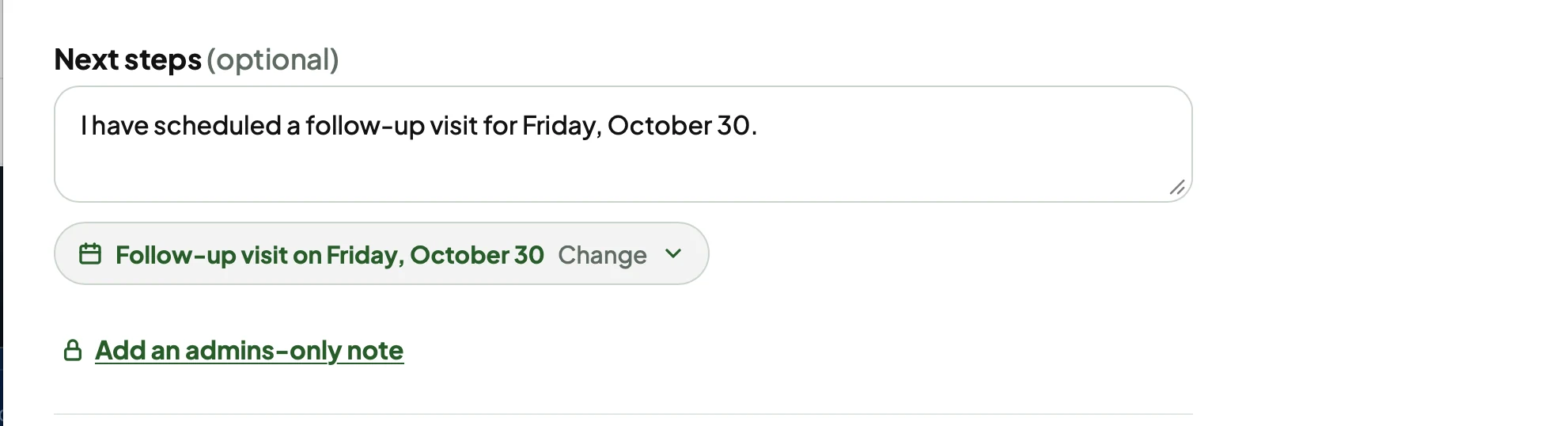
When you finish writing feedback, you can schedule a follow-up right there, in two clicks.
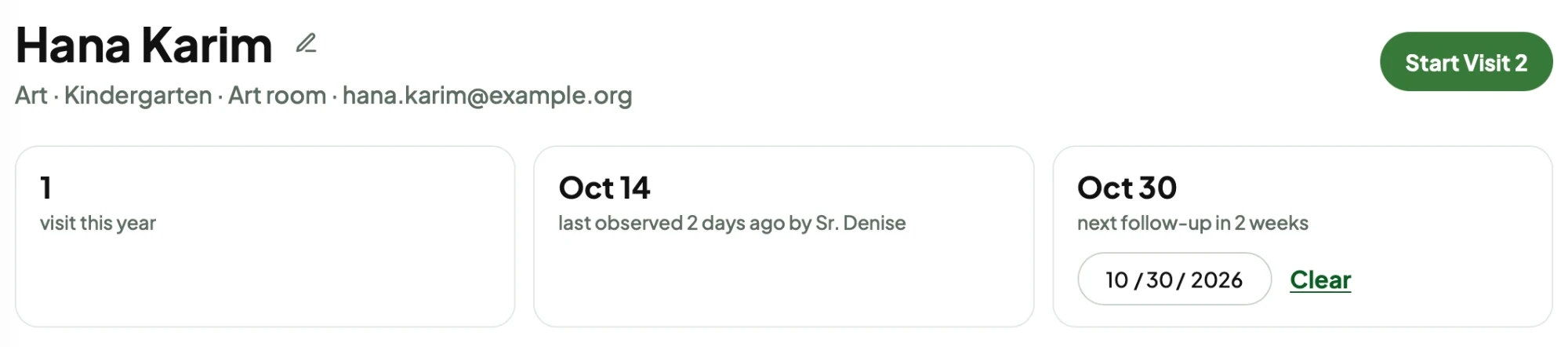
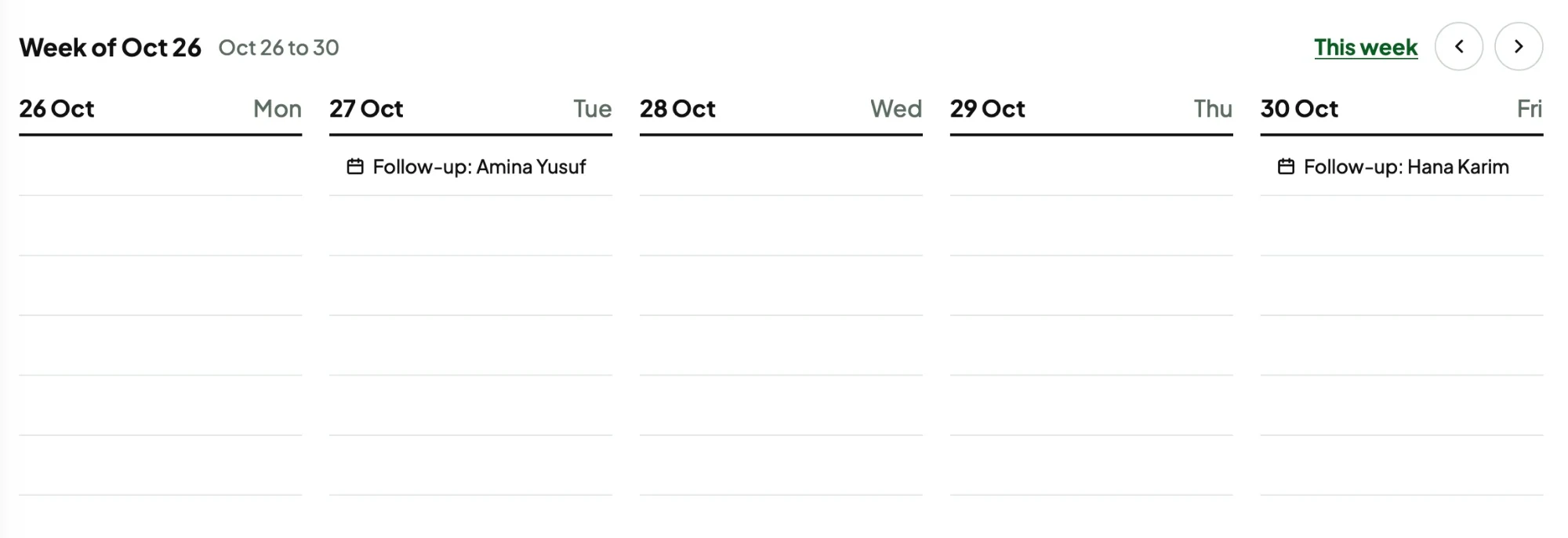
Once it’s scheduled, it
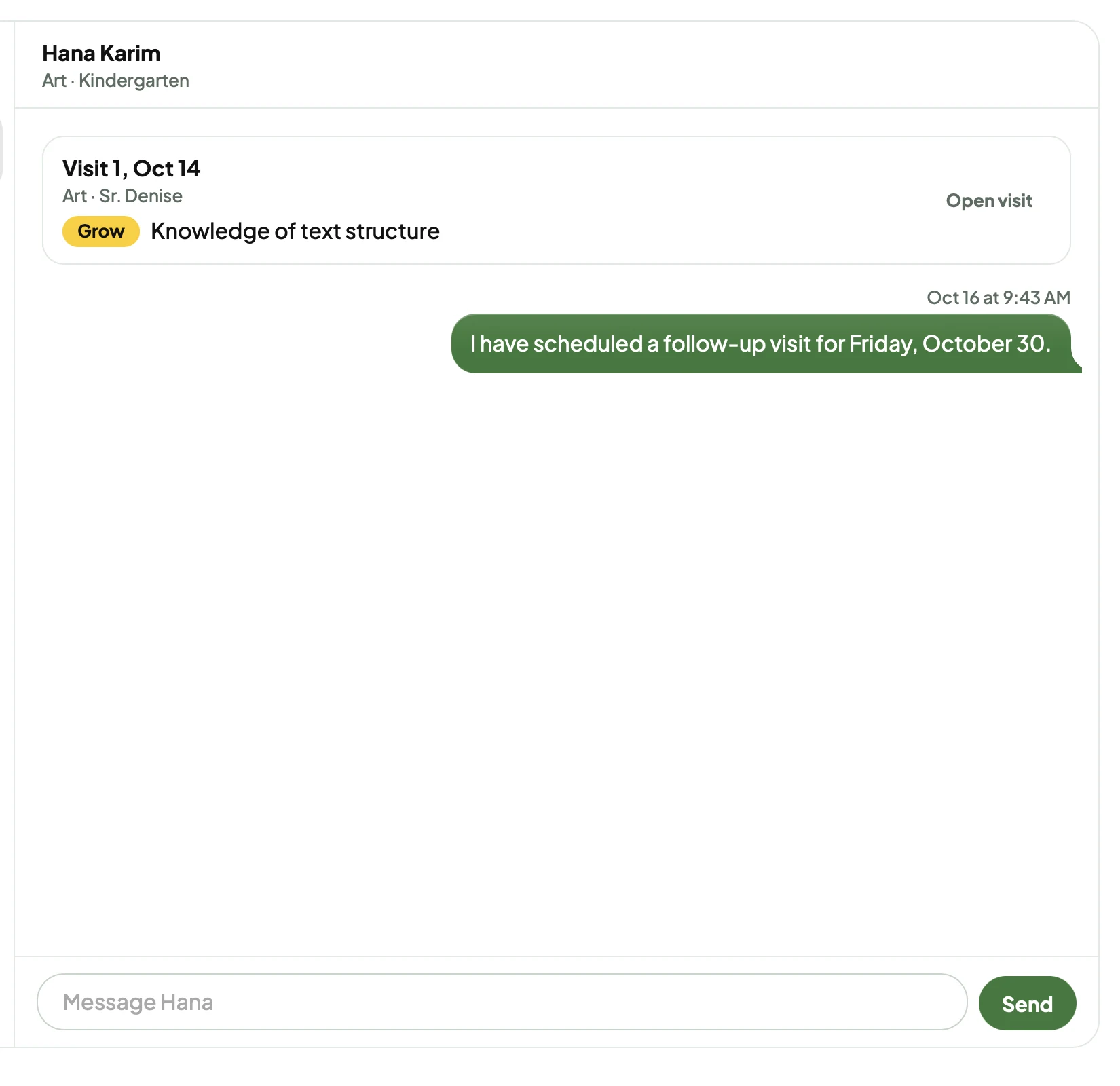
Schedule a follow-up visit, right under the feedback.
Pick a date, and the closing line writes itself.
The teacher gets it in their messages.
It shows on the teacher’s profile.
And it lands on your calendar.
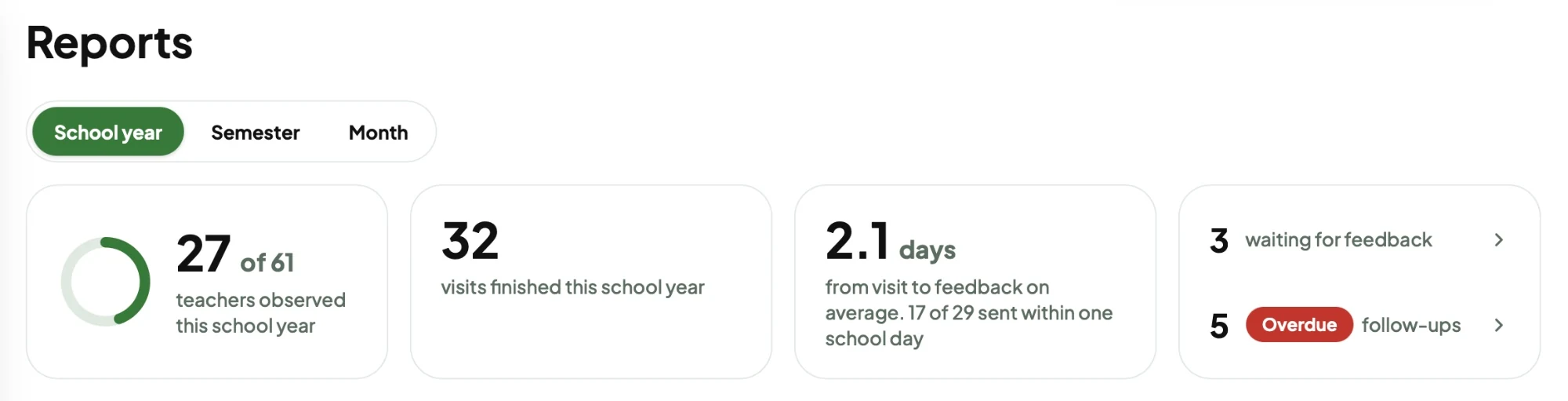
The dashboard gives you a glance of the school as a whole.
Some super simple graphs for the school’s top areas of glows and grows. The school was really focused on getting feedback from walkthroughs emailed out in under a day, so I added that metric as well. Whenever feedback is marked as done, it counts as completed.
Features from the prototype.
The pills at the top of the Teachers page are a summary and a filter in one.
Click a pill to filter the listTap a pill to filter the list
The sidebar buttons grow on hover.
Hover over the sidebar, or tap a page on the phoneTap a page in the tab bar
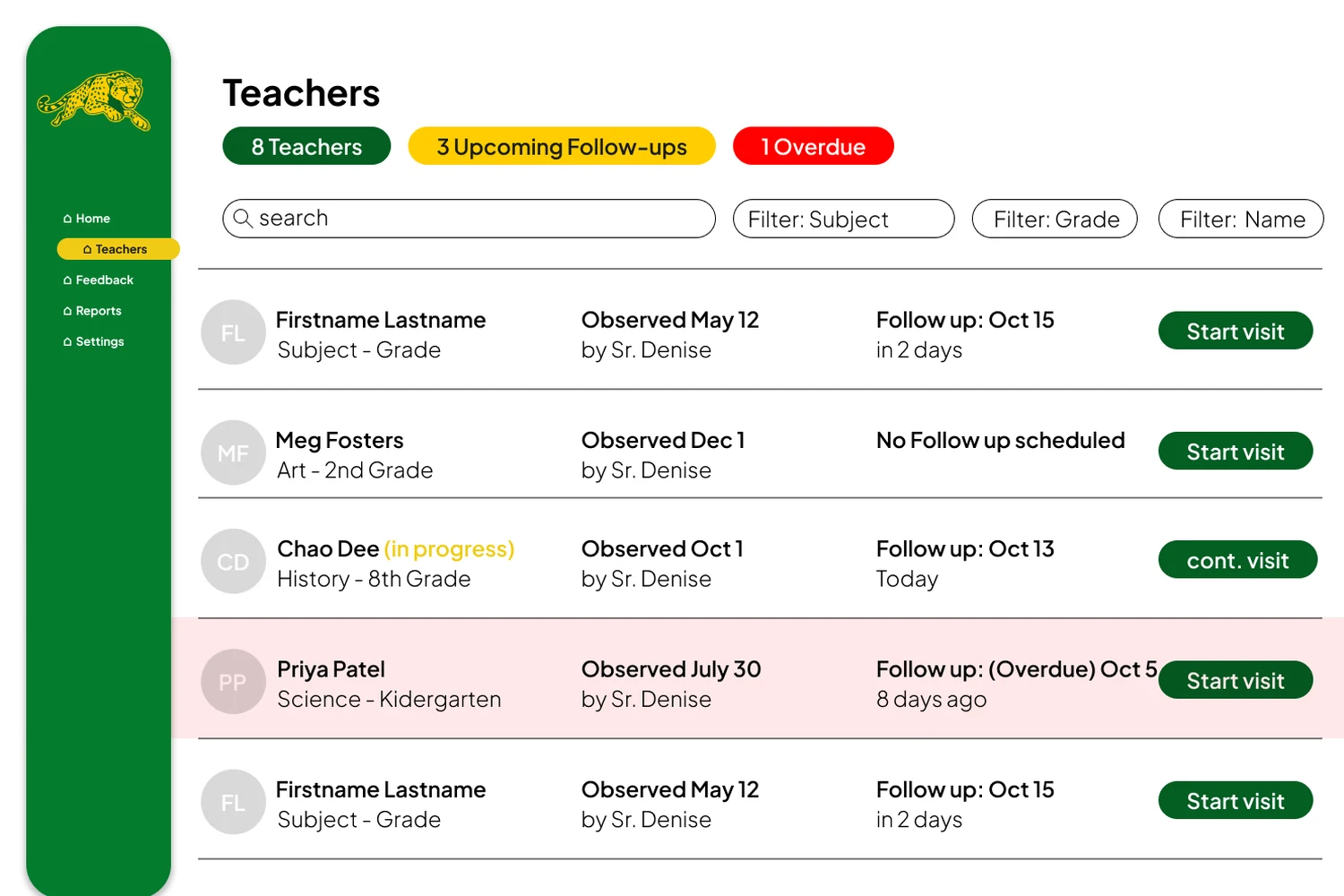
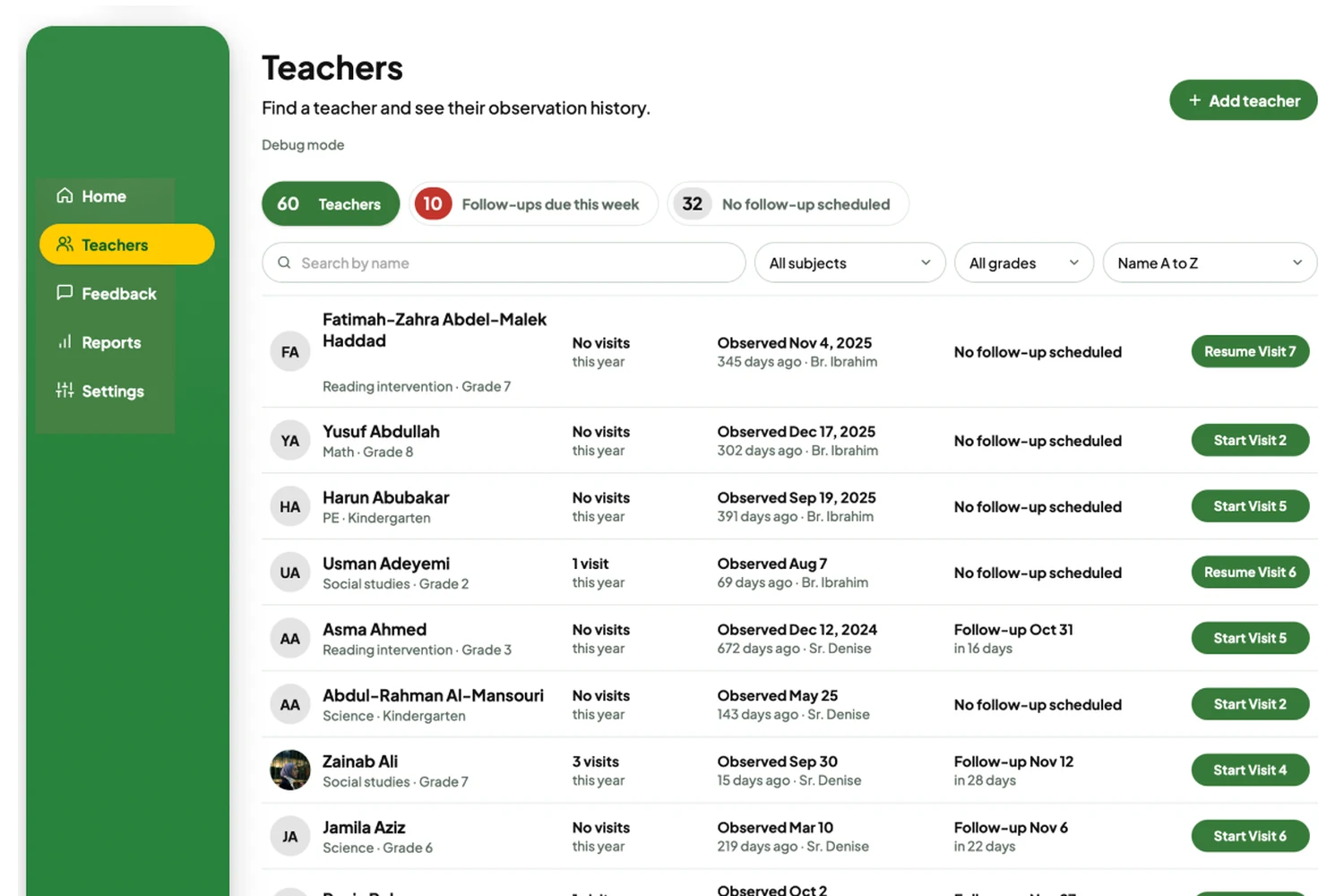
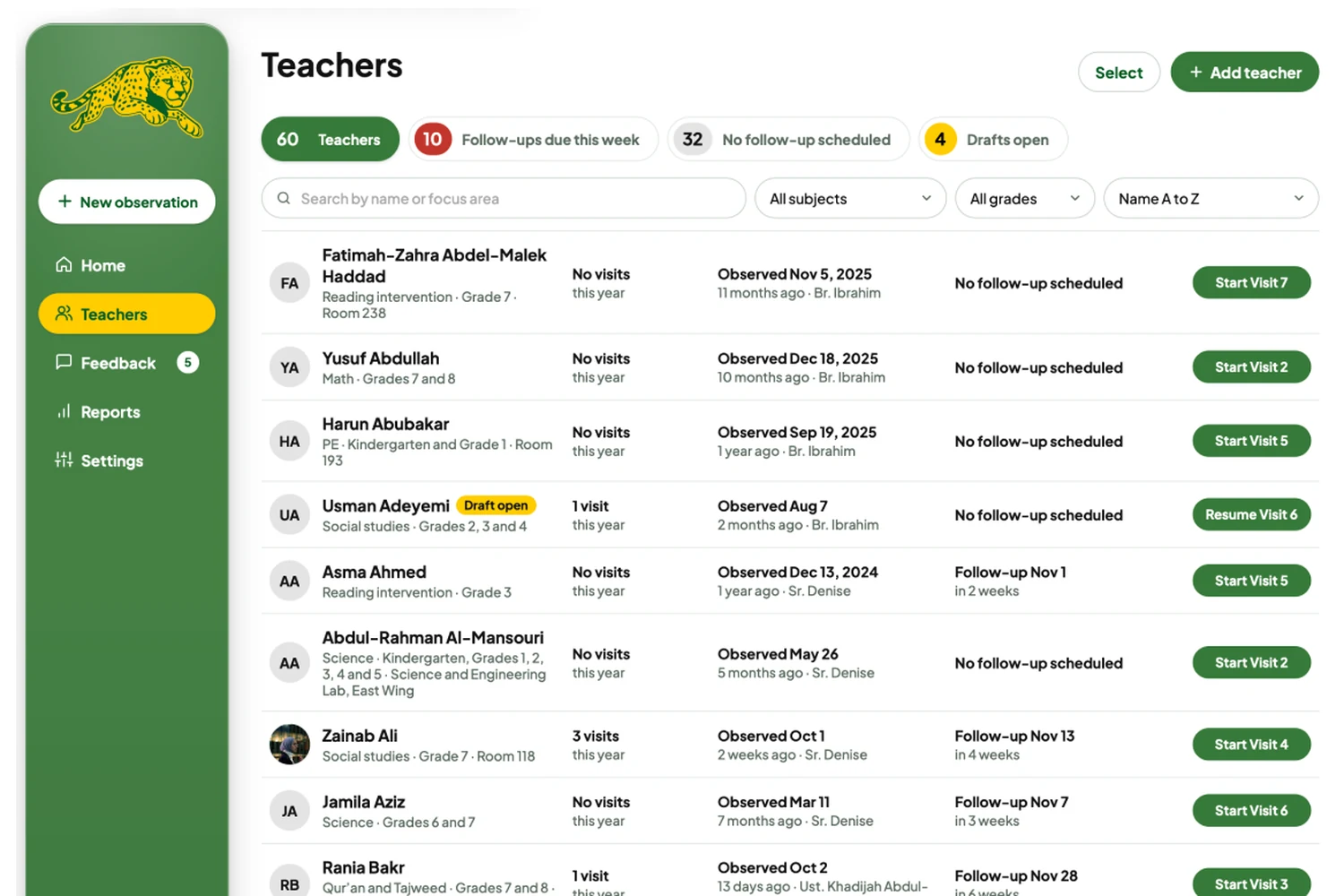
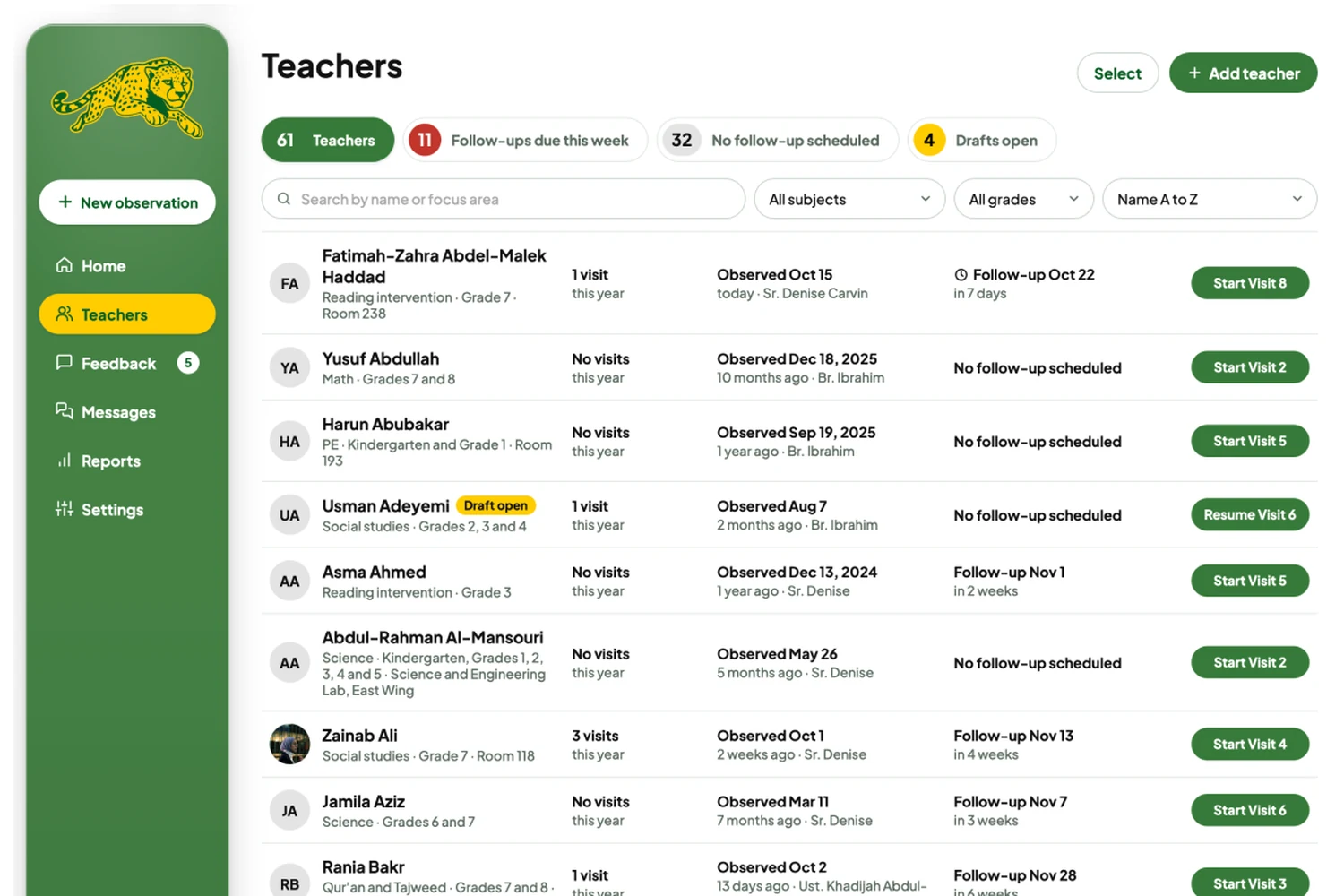
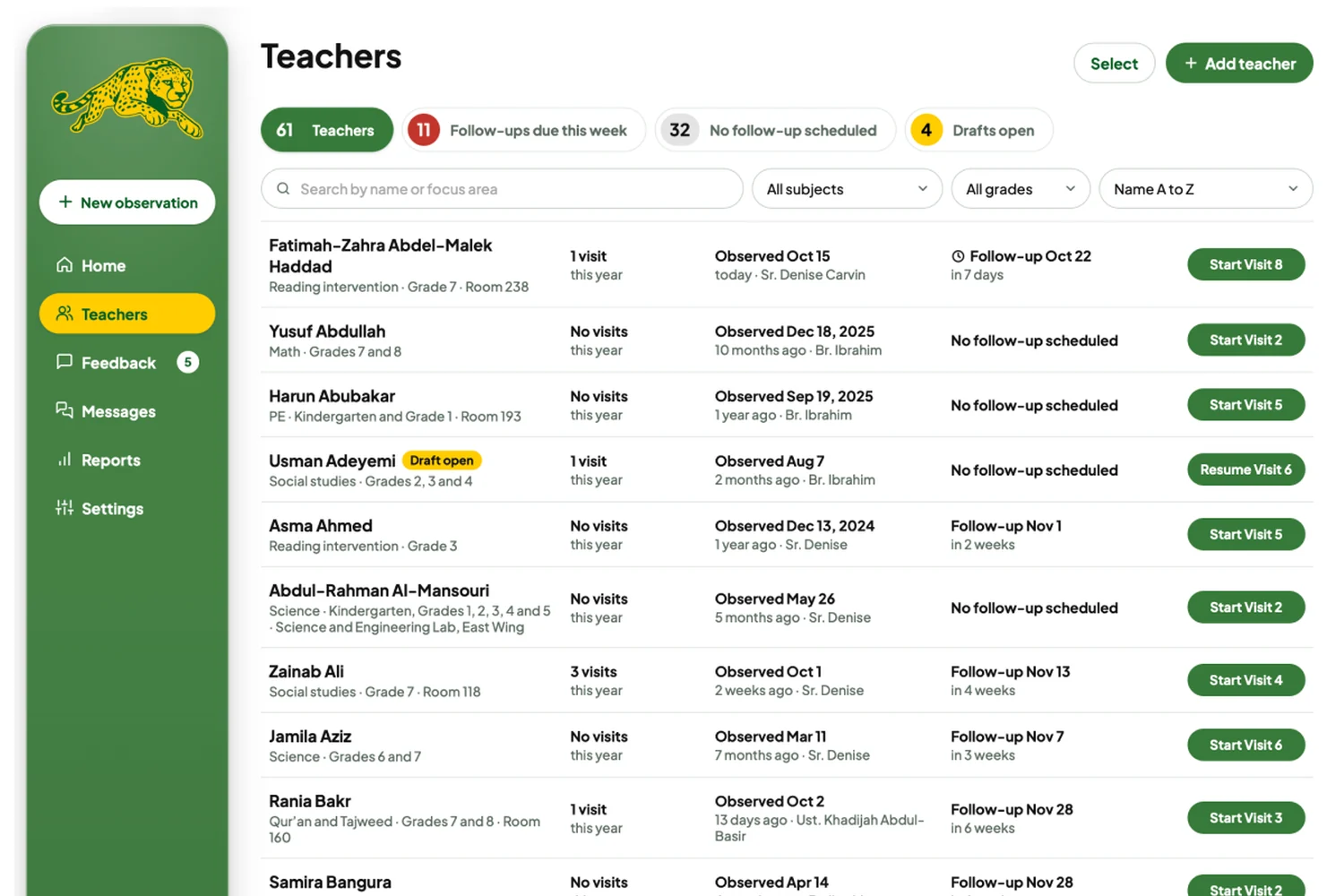
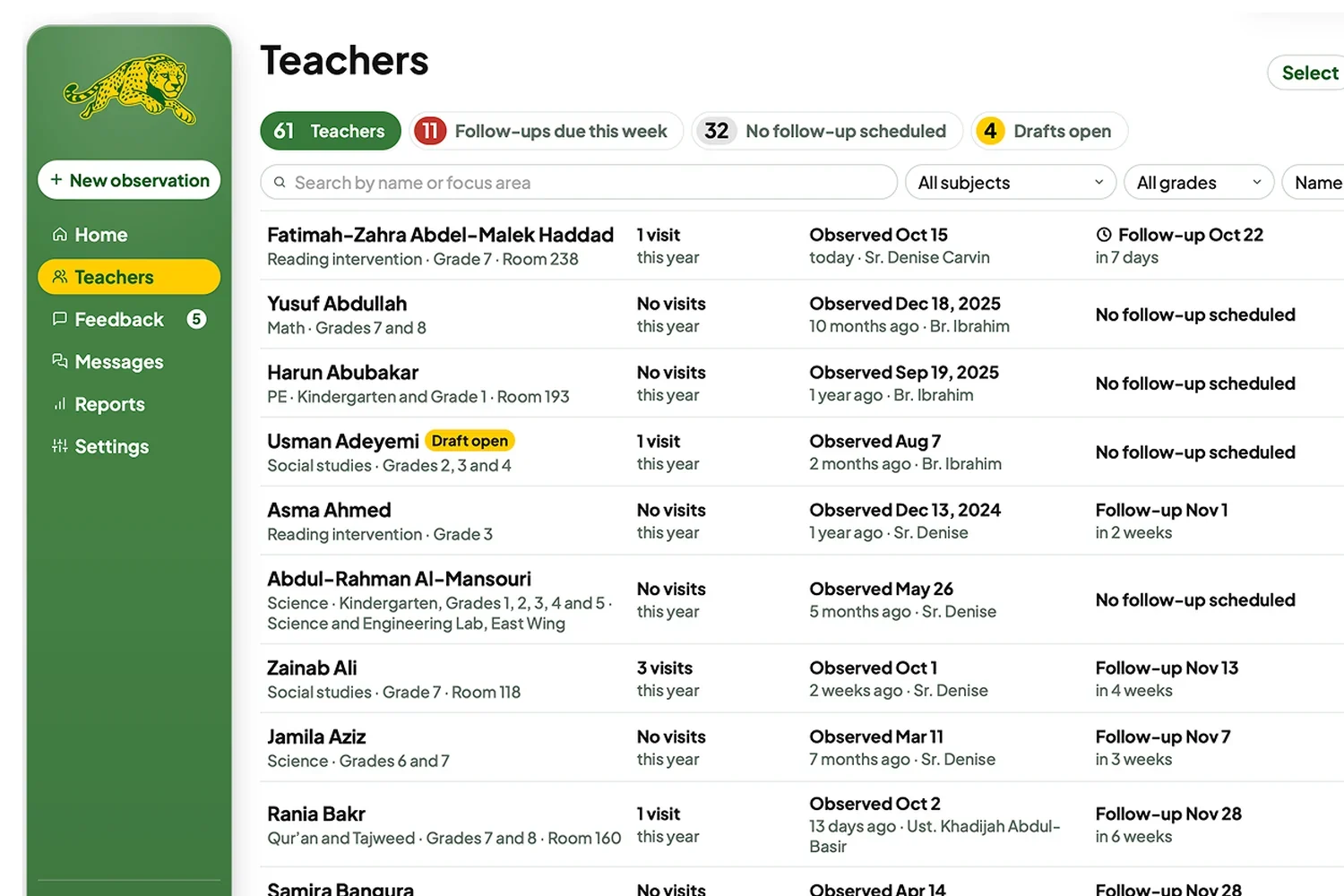
Across testing, the Teachers screen went through four versions.
V1
The first colored, low-fidelity version, made in Figma.
V2
Personas and simulated data made it look like real test data.
V3
The version from the first official dry run.
V4
Built from what testers did in the dry run.
The first official dry run had an 89% success rate.
My goal was above 70%. I had been sharing wireframes and earlier iterations in the admin group chat along the way, so the design was very informed. The admins who tested it had a blank slate. None of them had seen the wireframes.
Success Rate
on the first dry run, past my goal of 70%.
Sample Teachers
loaded in, some with drafts and some overdue for feedback.
Tasks
tested one on one with 3 admins.
What the admins said, in their own words.
“Now we need to redo all of RSA’s tools. You are so detail-oriented.”
“I love this. I love the messages and the admin-only note, those are my favorite.”
A Resend email account, so feedback emails send themselves, and a server, so admins and teachers can actually log in.